5 Best Social Media Management Tools Compared for 2026
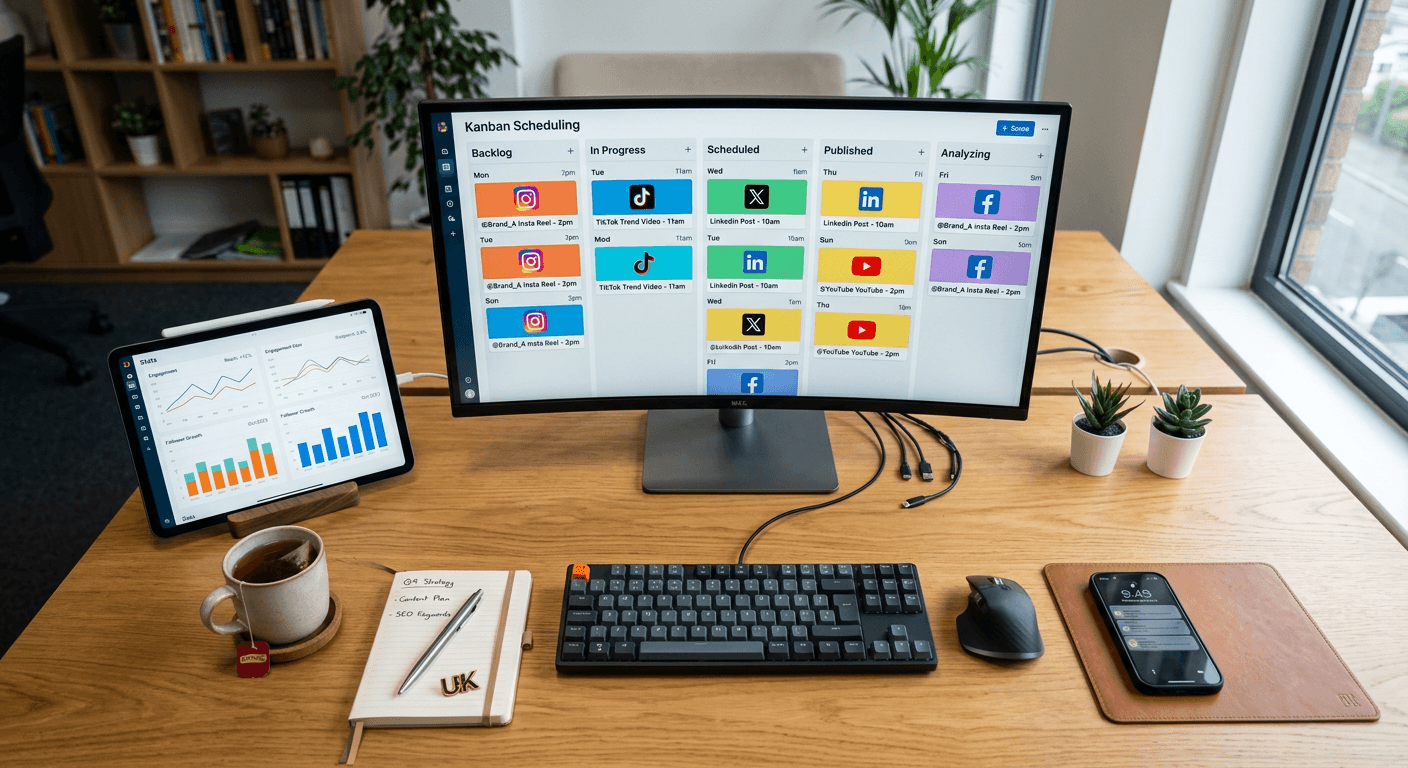
A digital marketer opens their browser on Monday morning and faces five distinct tabs: an Instagram notification feed, a Twitter timeline, a LinkedIn company page, a scattered content calendar in a spreadsheet, and a folder of raw image assets. They switch between them, manually copying and pasting the same link, resizing images on the fly, and hoping they do not miss a customer complaint buried in a direct message from Saturday night. This fragmented workflow is where marketing budgets bleed out through sheer administrative friction. Finding the best social media management tools is not about chasing a unified inbox purely for aesthetics; it is about reclaiming the hours lost to manual distribution so you can actually measure what works. Relying on native apps traps your audience data inside separate silos and obscures your actual return on investment. This guide examines how the standard platforms structure their limits, how they price their tiers, and where their core mechanisms break down when your output scales.
Quick Summary
Social media management software consolidates content scheduling, audience engagement, and performance analytics into a single dashboard. Rather than replacing native network features, these platforms automate distribution queues and aggregate incoming messages. Selecting the right infrastructure depends heavily on whether you need visual grid planning, multi-client routing, or high-volume publishing.
- Publishing mechanisms vary from chronological queues to visual grid planners, changing how you build campaigns.
- Pricing structures rarely scale linearly; tools bill by user count, connected channels, or total monthly posts.
- Agency-focused software separates clients into isolated workspaces, while creator tools bundle profiles into singular brands.
- Free tiers typically limit the forward-looking queue depth rather than restricting the features entirely.
Table of Contents
- Evaluating the best social media management tools
- Platform comparison table
- 1. Buffer
- 2. Hootsuite
- 3. Zoho Social
- 4. Later
- 5. Sendible
- Which platform fits your bottleneck
- Recommended Reads
Evaluating the best social media management tools
Before looking at specific features, you must identify how a platform restricts your growth. Every vendor in this space uses a different metric to gate their pricing tiers. If you do not match your workflow to their billing mechanism, you will hit a paywall long before you hit your marketing goals. Evaluating social media tools requires understanding these three structural fault lines.
First, assess channel counting versus profile bundling. Some platforms charge a flat rate per individual channel connected (such as one Facebook page or one X account). Others bundle networks into 'brands' or 'social sets', giving you one of each major network for a single fixed price. If you run a high volume of accounts on a single network - such as twenty different regional Twitter accounts for a national franchise - bundled platforms will force you into expensive enterprise tiers, whereas per-channel pricing will keep costs proportionate to your actual usage.
Second, distinguish between queue depth and post velocity. The mechanism that limits your output is critical. A tool might offer unlimited daily posts but restrict you to holding only ten items in the forward-facing queue at any given time. This suits a manager who logs in daily but breaks the workflow of a creator who wants to batch-schedule an entire month in one sitting. Conversely, hard monthly limits require you to calculate your exact post velocity before committing to a contract.
Finally, differentiate between listening and broadcasting. If your primary mandate is customer service, you need platforms built around column-based streams that catch real-time mentions and route them to staff. If you are entirely focused on outbound distribution, those heavy listening dashboards add unnecessary latency, interface clutter, and commercial cost to your daily operation.
Platform comparison table
| Tool | Features | Pros | Cons | Target Audience |
|---|---|---|---|---|
| Buffer | Per-channel billing, chronological queue scheduling | Modular pricing scales easily; no-card 14-day trial | 10-post limit on the free tier stops monthly batching | Independent creators, small retail operations |
| Hootsuite | Customisable stream dashboard, multi-account routing | Extensive real-time monitoring across networks | $99/month minimum entry cost excludes solo users | Established marketing departments, customer service teams |
| Zoho Social | Single brand container, core scheduling and analytics | Permanent free plan for up to 6 distinct channels | Strict 1-user, 1-brand limits on standard paid tiers | Internal teams running one unified corporate brand |
| Later | Visual grid planner, set-based network organisation | Excellent drag-and-drop Instagram grid preview | 30 posts per profile per month limit on Starter tier | Aesthetic-driven consumer brands, visual influencers |
| Sendible | Unified client reporting, priority inbox white-labelling | Strong focus on agency-level client grouping | 6-profile baseline limit exhausts extremely quickly | Service providers, digital agencies, multi-brand managers |
1. Buffer
Buffer operates as a social media management tool tailored specifically for users who need to schedule posts, analyse performance, and engage with their audience without navigating complex dashboard configurations. It is engineered primarily for lean teams, independent creators, and small retail operations that want a straightforward, list-based queue system rather than a complex intelligence hub.
The platform functions on a rigid per-channel architecture rather than grouping accounts into unalterable sets. If you use buffer social media management, you build custom chronological queues for each specific network independently. You define time slots for every day of the week, and as you drag text or image assets into a channel's queue, the software automatically assigns the asset to the next available pre-configured slot. This strict separation keeps the X feed distinct from the LinkedIn feed, preventing accidental cross-posting of incorrectly formatted media. It offers a 14-day free trial on any of its paid plans, requiring no credit card to sign up. Billing scales precisely with the number of networks you actively connect. The Essentials plan is priced at $5 per channel per month when billed annually, or $6 per channel when billed monthly. If you add collaborators, you move to the Team plan, which is priced at $10 per channel per month when billed annually, or $12 per channel when billed monthly.
Publishing simplicity scales across free tiers
The fundamental constraint lies in the forward-facing queue depth of its unbilled tier. As one of the more prominent free social media management tools on the market, the Free plan supports up to 3 channels but strictly caps scheduling at up to 10 posts per channel. If your strategy involves posting twice a day, your queue will run completely empty before the end of the working week. This mechanical limit rules out anyone attempting to batch-create and schedule an entire month of daily content in a single afternoon without upgrading to a paid tier. It forces a weekly, manual maintenance routine on free users that undermines the point of automation.
- Pros: No credit card required for the 14-day trial; modular pricing means you never pay for unused network slots.
- Cons: The 10-post queue cap on the free tier prevents long-term scheduling; per-channel costs multiply quickly if managing dozens of accounts.
2. Hootsuite
Hootsuite serves as a heavy-duty social media management platform designed to help businesses manage and schedule content across multiple social channels simultaneously. It specifically targets established marketing departments, dedicated customer service teams, and medium-to-large agencies that require deep oversight of incoming audience interactions alongside their outbound scheduling.
Instead of relying on a simple calendar view, the interface is constructed around a customisable board of vertical streams. You configure these side-by-side columns to monitor distinct data sources in real time. A team can set one column to watch competitors' handles, one to track industry keywords, and a third to monitor direct customer service queries. This layout turns the software into an active listening post rather than a mere distribution mechanism. Hootsuite offers a 14-day free trial on its paid plans so teams can test this stream architecture under live conditions. The baseline access, known as the Standard plan, supports managing up to 10 social media accounts from a single calendar and is priced at $99 per user per month when billed annually. For large organisations requiring greater capacity and more complex routing, the Advanced plan is priced at $249 per user per month when billed annually.
Enterprise depth carries an enterprise floor
The primary barrier to entry here is entirely commercial. At $99 per user per month on an annual contract just to access the Standard tier, the pricing floor deliberately locks out early-stage freelancers, solo creators, and micro-businesses. You are paying a premium for the real-time stream monitoring architecture and the capacity for 10 distinct accounts. If your strategy relies purely on dropping scheduled posts onto a timeline and checking native apps for the occasional comment, the financial overhead of this infrastructure cannot be justified. You must have a clear, documented requirement for multi-channel listening to warrant the baseline commitment.
- Pros: Extensive real-time stream monitoring across multiple platforms; handles up to 10 accounts securely on the base tier.
- Cons: High minimum entry cost at $99 per user per month; the multi-column interface can overwhelm users who only require basic scheduling.
3. Zoho Social
Zoho Social operates as a dedicated social media management tool tailored for businesses to schedule posts, monitor mentions, and analyse social network performance from a centralised hub. It suits internal marketing teams running a single, unified corporate identity across the major networks rather than agencies juggling disparate, unconnected client portfolios.
The platform organises access and functionality strictly around the concept of a 'brand'. A single brand acts as a sealed container for your corporate identity, holding one connection to each of the major social networks. This unified identity ensures that a single post can be drafted and pushed to all six channels simultaneously from one compose window, allowing for minor text tweaks per platform before publishing. Zoho Social offers a permanent free plan that supports exactly 1 brand and up to 6 social channels, providing a zero-cost entry point for continuous publishing. If you require deeper analytics, historical data, or team collaboration features, the Standard plan is priced at $15 per month when billed monthly, or $10 per month equivalent when billed annually. For advanced reporting and custom roles, the Premium plan is priced at $65 per month when billed monthly, or $40 per month equivalent when billed annually.
Brand limits restrict agency adoption
The platform is structurally hostile to multi-client management unless you are willing to pay compounding add-on fees. According to its published specifications, the Standard and Professional plans both include exactly 1 brand and 1 user. If you acquire a second client, or if you need a second team member to help moderate incoming comments, you cannot simply use a spare seat on your existing tier. Additional members and brands require extra fees on top of the base subscription. This rigid 1-brand, 1-user architectural limit means social media management software configured this way will rapidly become expensive for an agency attempting to scale its client roster.
- Pros: Offers a permanent free plan covering 1 brand and 6 channels; provides a very low financial entry point for standard business features.
- Cons: Strict 1-brand and 1-user limits on the standard paid tiers; adding team members or extra clients requires immediate supplemental fees.
4. Later
Later functions as a visual-first social media scheduling platform designed specifically for planning and scheduling content across major social platforms, maintaining a historically strong focus on Instagram and TikTok. It is built for aesthetic-driven consumer brands, visual influencers, and graphic designers who need absolute certainty about how their visual grid will look before they hit publish.
The core mechanism revolves around a drag-and-drop visual planner rather than a text-heavy chronological list. You upload your media assets into a central holding library, drag them onto a calendar, and preview exactly how the images will tile together on a mobile screen. As you drag an unassigned photo from the library into a slot, the mock-up grid instantly updates to show how the new colour palette sits next to yesterday's post. The platform organises your connections into 'Social Sets'. The Starter plan costs $18.75 per month when billed yearly, or $25 per month when billed monthly. Moving up, the Growth plan costs $37.50 per month when billed yearly, or $50 per month when billed monthly, while the Scale plan costs $82.50 per month when billed yearly, or $110 per month when billed monthly.
Visual-first planning creates post ceilings
The platform throttles your output volume aggressively at the lower commercial tiers. The Starter plan includes 1 Social Set (which allows up to 8 profiles) and 1 user, but it strictly limits you to 30 posts per profile per month, alongside just 5 AI credits. If your digital strategy involves posting to TikTok twice a day, or maintaining a high-frequency Twitter feed alongside your curated Instagram grid, you will hit that 30-post ceiling halfway through the month. It forces high-volume publishers to upgrade to Growth or Scale tiers regardless of whether they actually need the advanced collaboration features those tiers provide.
- Pros: Exceptional visual grid preview functionality; organises multiple related accounts neatly into logical sets.
- Cons: Hard cap of 30 posts per profile per month on the Starter tier; completely incompatible with high-frequency, daily posting strategies.
5. Sendible
Sendible serves as an all-in-one platform tailored heavily for agencies and small businesses to schedule posts and monitor engagement across numerous, unconnected client accounts. It is engineered for service providers who need to prove their value to external stakeholders through customisable reports, white-labelled dashboards, and structured approval workflows.
The software routes incoming messages and outgoing posts through a unified dashboard designed to strip away the visual clutter of native feeds. Its Priority Inbox presents only actionable items - such as direct messages requiring a reply, or drafted posts awaiting a client's sign-off before they go live. When dealing with clients, you group their various network logins into profiles. Sendible offers a 14-day free trial that does not require a credit card, allowing you to test client onboarding seamlessly. The base tier, known as the Core plan, is priced at $35 per month when billed monthly, or $30 per month when billed annually, and supports 1 user. If you need to manage a larger client roster, the Plus plan is priced at $99 per month when billed monthly, or $84 per month when billed annually, expanding capacity to support up to 18 social profiles.
Agency structures require higher baseline commitments
The profile counting mechanism on the entry-level tier fills up much faster than most new agencies anticipate. The Core plan supports up to 6 social profiles in total. Because a 'profile' typically equates to a single network connection rather than a bundled client brand, onboarding just one client who needs scheduling across Facebook, Instagram, LinkedIn, and X will immediately consume four of your six available slots. As one of the more capable social media automation tools for external reporting, its Core plan limits mean an agency with even two active, multi-channel clients will likely be forced directly onto the $84-per-month Plus plan just to secure the necessary profile connections.
- Pros: No credit card required to begin the 14-day trial; robust focus on agency-level client grouping and approval flows.
- Cons: The 6-profile limit on the Core plan is easily exhausted by a single multi-channel client; forces early upgrades for growing agencies.
Which platform fits your bottleneck
Once you understand the precise limits of each tool, the choice stops being about a generic feature list and becomes a question of where your current workflow is failing most severely. The right solution isolates the exact administrative task that is currently bleeding your time.
If your primary bottleneck is pure distribution across a small number of strictly controlled channels, Buffer prevents you from paying for unused capacity. Its per-channel pricing means you only fund exactly the network connections you actively use.
If your bottleneck is missing customer complaints buried in a high volume of daily noise, Hootsuite provides the necessary streams to catch and route mentions in real time, though you must be prepared to absorb the $99 monthly financial floor to access it.
If your bottleneck is managing a single corporate brand without incurring ongoing software overhead, Zoho Social delivers a permanent zero-cost baseline that comprehensively covers the six major networks for one unified identity.
If your bottleneck is maintaining visual consistency and aesthetic flow on Instagram or TikTok, Later ensures you never publish a post that disrupts your grid pattern, provided your strategy can operate under its strict monthly post volume limits.
If your bottleneck is proving return on investment to multiple external clients and managing their approvals, Sendible provides the reporting infrastructure agencies require, assuming you model its profile limits against your client roster accurately from day one.