Best Instagram Bio Styles and Editing Tips
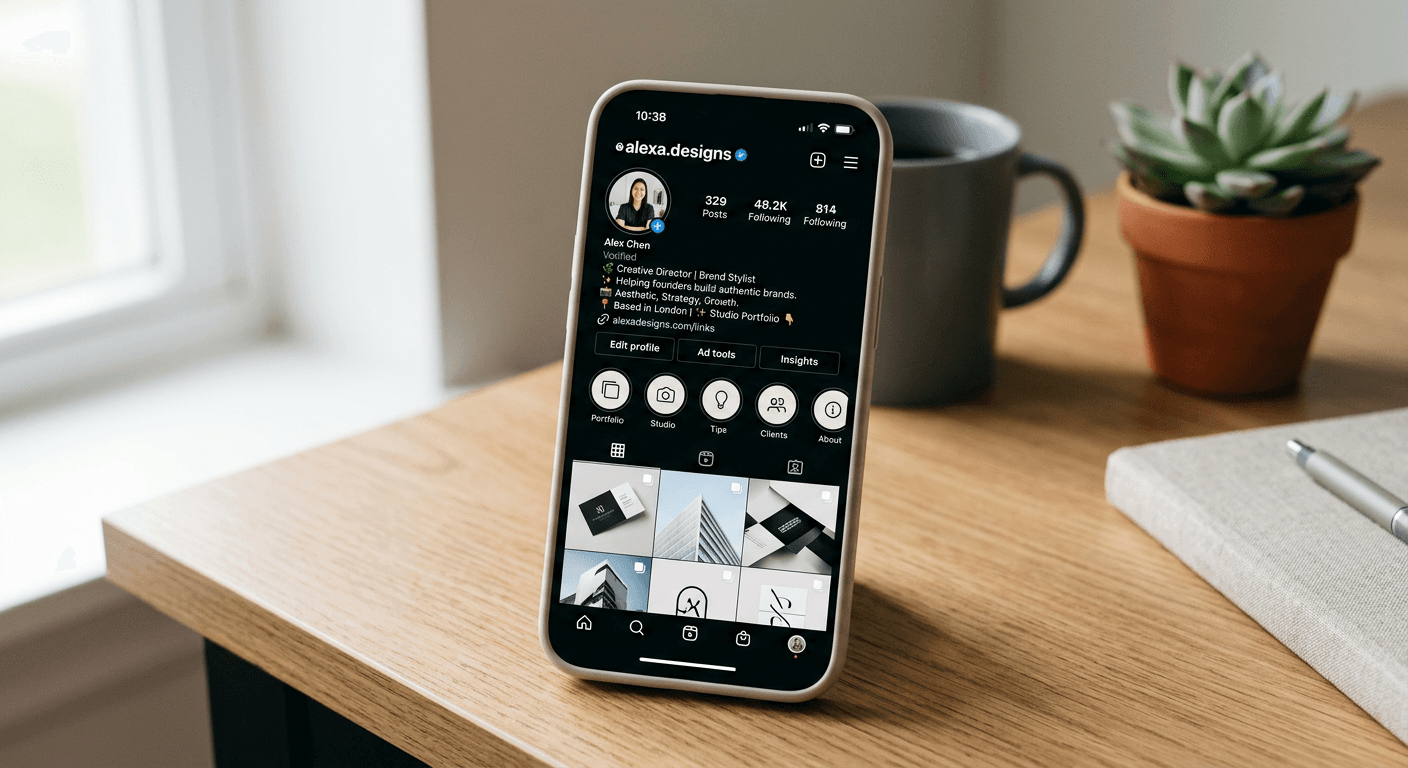
Crafting the perfect digital introduction is essential for building a cohesive brand identity on social media. An effective instagram bio style acts as your storefront window - it determines whether a visitor follows you or navigates away. Optimising your profile requires a balance of visual clarity, strategic keyword placement, and functional formatting to ensure your personality or business value proposition is immediately obvious.
Quick Summary {#quick-summary}
An ideal bio is a concise, scannable summary that combines a clear value proposition with a focused call-to-action. By leveraging proper spacing and strategic formatting, you improve readability and engagement.
- Use line breaks for visual hierarchy.
- Include industry-relevant keywords for searchability.
- Always verify formatting on both mobile and desktop.
- Place critical links at the bottom to encourage clicks.
Table of Contents {#table-of-contents}
- Understanding Instagram Bio Mechanics
- Formatting Your Profile for Maximum Impact
- Strategic Editing and Keyword Optimisation
- Common Pitfalls and Troubleshooting
- Frequently Asked Questions
- Recommended Reads

Understanding Instagram Bio Mechanics {#understanding-instagram-bio-mechanics}
The mechanics of an instagram bio style revolve around the platform's character limit and its treatment of text blocks. You have 150 characters to convey your identity, meaning every word must serve a specific purpose. Users often make the mistake of over-crowding this space with excessive emojis or hashtags, which can dilute your message and make the profile appear cluttered to potential followers.
When changing instagram bio content, consider the primary objective: is it conversion, brand awareness, or personal expression? A professional account should prioritise a clear description of what you do, while a personal account has more flexibility. Regardless of the goal, the most successful profiles maintain a consistent visual rhythm, using line breaks to separate different types of information, such as your location, professional credentials, and contact details.
Formatting Your Profile for Maximum Impact {#formatting-your-profile-for-maximum-impact}
To achieve clean alignment, many users rely on instagram bio spacers. These are invisible characters or specific line-break patterns that prevent the text from collapsing into a single, unreadable block. While you can manually insert line breaks using the Return key in the app, sometimes these resets upon saving. If you find your text keeps bunching together, use a third-party text editor to draft your content first, ensuring you remove any hidden spaces at the start of each line.
Properly managing your instagram bio space is not just about aesthetics; it is about cognitive load. When you present information in a list format, you allow the reader to scan your profile in under three seconds. This is crucial for high-conversion profiles. When you finally save instagram profile changes, always preview the result on both an iOS and an Android device, as rendering engines can occasionally interpret spacing characters differently across operating systems.
Pro Tip: Avoid using fancy Unicode fonts for your main bio text. These can be difficult for screen readers to process, which creates accessibility issues and may prevent your profile from appearing in search results when users look for your name or profession.
Strategic Editing and Keyword Optimisation {#strategic-editing-and-keyword-optimisation}
Selecting the right editor instagram bio approach involves treating your profile like a mini search engine. While Instagram's search bar primarily looks at the 'Name' field for keywords, having relevant terms in your bio text helps contextualise your account for the algorithm. If you offer a service or a product, weave those terms into your bio naturally rather than stuffing them in a way that looks unnatural to human readers.
Once you have refined your copy, ensure the transition between your bio and your link-in-bio tool is seamless. Your bio should lead the eye directly toward the clickable link. If you are struggling to maintain a consistent social media branding strategy, revisit your profile monthly to ensure your current offers or projects are accurately represented. Keeping your profile fresh signals to the algorithm that your account is active and relevant.
Common Pitfalls and Troubleshooting {#common-pitfalls-and-troubleshooting}
One of the most common issues is the 'disappearing line break' phenomenon. This usually occurs when the Instagram app tries to auto-correct formatting or when non-standard whitespace characters are used. If your text persists in collapsing, delete all spaces before and after your line breaks, and ensure no trailing spaces exist after the final character of each line.
Another pitfall is the misuse of 'link-in-bio' platforms. While these are excellent, ensure the link you provide is functional and leads to a page that matches the expectations set in your bio. Broken links or landing pages that take too long to load will cause a high drop-off rate, effectively wasting the effort you put into perfecting your profile's aesthetic.
Frequently Asked Questions {#frequently-asked-questions}
Why does my Instagram bio formatting keep disappearing when I save it? This typically happens due to trailing whitespace or hidden characters. Try clearing the bio entirely and typing it out again without any spaces at the beginning or end of your lines.
Should I use emojis in my Instagram bio? Yes, emojis can help break up text and convey personality, but use them sparingly. One or two relevant icons are better than a long string that distracts from your core message.
How can I make my bio searchable? Include your primary industry keywords in your 'Name' field (the bold text at the top) rather than just your personal name, as this field is highly weighted in search results.
Can I use different fonts for my Instagram bio? While you can use third-party tools to generate different fonts, it is generally discouraged for professional profiles as it hurts accessibility and can make your text unreadable for some users.