How to Add a Link to Your Instagram Bio: A 2026 Step-by-Step Guide
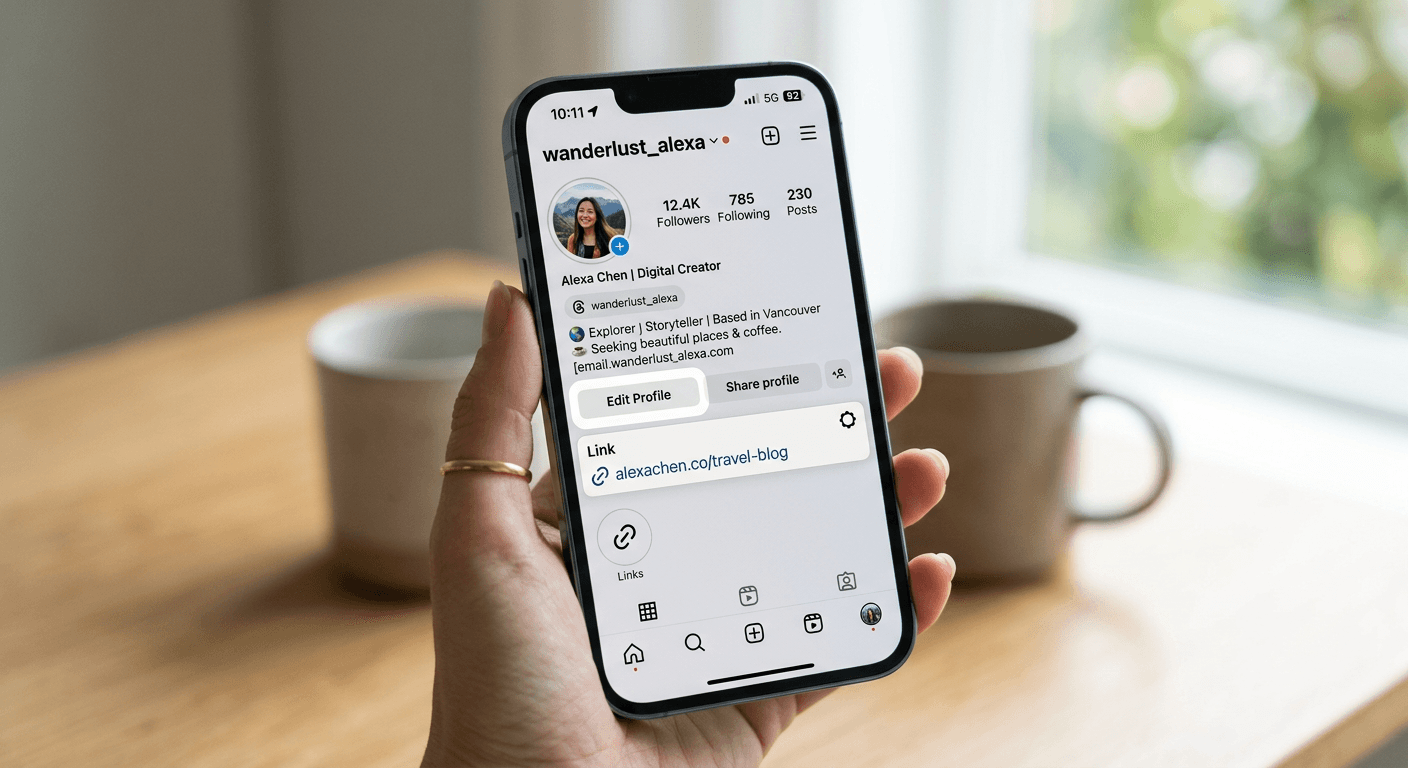
Trying to figure out how to add a link to your Instagram bio can feel like hunting for a needle in a haystack if you're not tech-savvy. We have all been there - staring at our profile, wondering why everyone else has these sleek, clickable destinations while ours just looks like a block of plain, uninspiring text. It is a digital storefront, and if the door is locked, your potential customers are just walking right past you.
Quick Summary {#quick-summary}
Adding a link in bio on Instagram is the process of inserting a clickable URL into your profile settings to drive traffic to external websites. It is the primary way for creators and businesses to bridge the gap between their social content and actual website conversion or sales.
- Navigate to 'Edit Profile'.
- Select the 'Links' or 'Add link' field.
- Paste your desired URL and save.
- Use tools from providers like Kodelink to optimize multiple destination links.
Table of Contents {#table-of-contents}
- Quick Summary
- Where Is Link in Bio on Instagram
- How to Add Link to Instagram Bio
- How to Get Your Instagram Link
- How to Remove Link from Instagram Bio

Where Is Link in Bio on Instagram {#where-is-link-in-bio-on-instagram}
If you ask me, the platform has made things slightly more confusing with recent updates. A few years ago, there was one single field. Now? It is a bit more integrated. Honestly, I believe this is because they want you to spend more time in their app. If you are hunting for where the magic happens, look directly under your profile picture and bio text. That is where the blue, clickable text lives. If you see nothing, it means your profile is currently a ghost town in terms of external traffic.
Why location matters for your brand
Think of your bio as a business card. If you hand someone a card with no contact info, what is the point? Exactly. That link is your bridge to the outside world. Without it, you are just shouting into a void of double-taps.
How to Add Link to Instagram Bio {#how-to-add-link-to-instagram-bio}
Here is the lowdown on how to add link to instagram bio without pulling your hair out. The process is straightforward once you know where to tap.
- Open your Instagram app and tap your profile icon in the bottom right corner.
- Hit that big 'Edit Profile' button right under your stats.
- Look for the 'Links' section. If you have not added anything yet, it might just say 'Add link'.
- Paste your URL - make sure you double-check the spelling!
- Hit 'Done' or the checkmark in the top right.
Sometimes, you might want to showcase multiple pages. Instead of manually swapping your link every three hours, check out the advanced link management solutions at Kodelink which keep your strategy clean and professional. It beats the manual grind, trust me.
Common mistakes to avoid
- Forgetting to include the 'https://' prefix.
- Using a broken or expired domain.
- Cluttering your bio with too many unformatted characters.
How to Get Your Instagram Link {#how-to-get-your-instagram-link}
Have you ever wondered how to share your own profile with someone else? It sounds simple, right? Just type instagram.com/yourusername. But, if you want the 'official' way to get your instagram profile link, it is even easier. Just have a friend head to your profile, tap the three dots in the top right corner, and select 'Copy profile URL'. Now you have a perfectly formatted link ready to paste wherever you need it.
How to Remove Link from Instagram Bio {#how-to-remove-link-from-instagram-bio}
Sometimes, a link needs to retire. Maybe the campaign is over, or the offer is dead. Knowing how to remove link from instagram bio is just as important as knowing how to add it. Simply head back into your 'Edit Profile' menu, tap on the link you want to nix, and hit the 'Remove link' button at the bottom. Easy, clean, and done.